Resolution defaults to max resolution for monitor in windowed mode
Minor inconvenience but when starting the game or when loading the main menu (after a disconnect) the game defaults to the native resolution of the monitor. Didn't do that in previous version.
My settings
"HostSettings": {},
"GraphicSettings": {
"Resolution": {
"x": 2560,
"y": 1440
Change to this
"HostSettings": {},
"GraphicSettings": {
"Resolution": {
"x": 5120,
"y": 1440
Even if I set the config file to readonly it changes the settings, it doesn't save the file, clearly, but it still resets to native resolution.
Comments: 6
Oldest
•
Newest
•
Most likes
•
Fewest likes
-
04 May, '25
Malik Aman SystemHighlighted comment
"Regarding the windowed resolution issue" (suggested by <Hidden> on 2025-05-04), including upvotes (1) and comments (0), was merged into this suggestion. -
28 Apr, '25
EraeneConfirmed. I use windowed mode as well, setting the resolution to 1080p and it reverts back to 1440p (the size of my monitor) whenever I leave a game, no matter whether I keep changing it back to 1080p.
-
04 May, '25
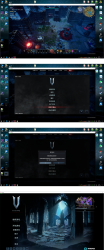
Azzz MergedWhen I set the game to windowed mode at 1600×900 resolution, it automatically changes back to 1920×1080 every time I save and return to the main menu.
-
05 May, '25
Sebastian MergedI'm playing borderless window resolution and almost every time i start the game the resolution changes itself to a higer one, the resolution in the settings seems to be the one i put but the one it shows is another, so i have to put a randow new resolution and then put back the one i choose to make it work properly
-
05 May, '25
Malik Aman System"Screen resolution keep changing itself after the patch fix" (suggested by <Hidden> on 2025-05-05), including upvotes (1) and comments (0), was merged into this suggestion.
