Finn the Fisherman Cooldown Spawn area | Crash | Loading Screen
I want to report a potential bug in V Rising. When Finn the Fisherman was on cooldown and I was near his spawn area, the game kept crashing repeatedly after loading — I couldn’t do anything. I even verified the game files on Steam, but the issue persisted.
I’ve attached a screenshot showing the location where the crashes occurred. Interestingly, after Finn reappeared on the map, the game started working fine again.

Comments: 5
Oldest
•
Newest
•
Most likes
•
Fewest likes
-
27 May, '25
Kiz AdminHighlighted comment
Hi there,
We would like to request a follow up to the following logs so we can check thoroughly:
-The Player.log file and the Player-prev.log file from the session where the issue happened
(located here: %appdata%\..\LocalLow\Stunlock Studios\VRising)
-The Player-server.log file and the Player-server-prev.log file from the session where the issue happened, if you are the server host
(located here: %appdata%\..\LocalLow\Stunlock Studios\VRising)
-The crash .dmp file, which should be located in one of the following locations:
a) %appdata%\..\LocalLow\Stunlock Studios\VRising\backtrace\crashpad\reports
b) %tmp%\Stunlock Studios\VRising\Crashes)
Please send the following logs to logs@playvrising.com and use this number #634637 on the subject.
Thank you. -
02 May, '25
Pom Mergedwhen I approached the arena, the game suddenly crashed and when I tried to load back in it crashes again. I can't seem to move out because it crashes immediately when I load in. I play on a private server and I'm the host.
Issue fixed after rebooting pc and verifying game files through steam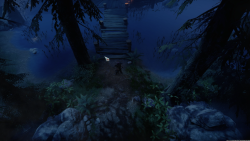
-
05 May, '25
Kiz System"Crashing near the Finn the Fisherman's arena" (suggested by <Hidden> on 2025-05-02), including upvotes (1) and comments (0), was merged into this suggestion.
-
08 May, '25
Filippa AdminHello! We've received multiple reports of players crashing near this area. For the other players, verifying files on Steam resolved the issue, but I can see you've already tried this and that it did not resolve the issue for you.
Therefore, we need some more information. Please email the following files to logs@playvrising.com :
-The Player.log file and the Player-prev.log file from the session where the issue happened
(located here: %appdata%\..\LocalLow\Stunlock Studios\VRising)
-The Player-server.log file and the Player-server-prev.log file from the session where the issue happened, if you are the server host
(located here: %appdata%\..\LocalLow\Stunlock Studios\VRising)
-The crash .dmp file, which should be located in one of the following locations:
a) %appdata%\..\LocalLow\Stunlock Studios\VRising\backtrace\crashpad\reports
b) %tmp%\Stunlock Studios\VRising\Crashes)
Thank you for helping us track down the cause of this issue! -
27 May, '25
Kiz AdminHi there,
We would like to request a follow up to the following logs so we can check thoroughly:
-The Player.log file and the Player-prev.log file from the session where the issue happened
(located here: %appdata%\..\LocalLow\Stunlock Studios\VRising)
-The Player-server.log file and the Player-server-prev.log file from the session where the issue happened, if you are the server host
(located here: %appdata%\..\LocalLow\Stunlock Studios\VRising)
-The crash .dmp file, which should be located in one of the following locations:
a) %appdata%\..\LocalLow\Stunlock Studios\VRising\backtrace\crashpad\reports
b) %tmp%\Stunlock Studios\VRising\Crashes)
Please send the following logs to logs@playvrising.com and use this number #634637 on the subject.
Thank you.
